 Washi 和紙
Flat PDF forms,
made fillable.
Washi finds the boxes on a printed form, turns them into real fields and fills them in. It also signs, redacts, edits, OCRs and organizes PDFs. One set of tools, three ways to use it: a desktop editor, a command line, and an MCP server for AI agents.
Apple silicon · free · updates itself · All releases and notes
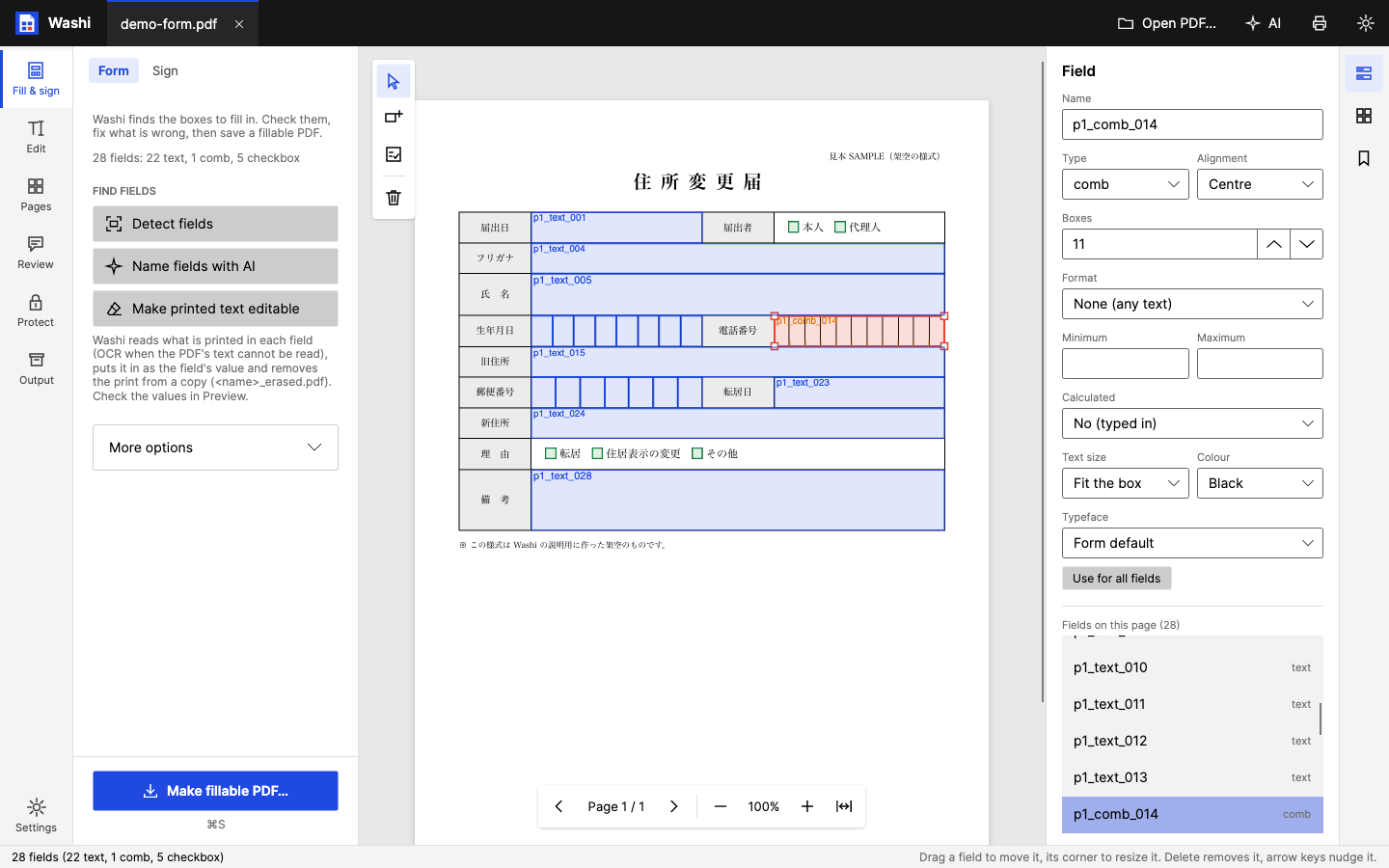
Masume engine
The boxes, found for you.
Many PDF forms are flat: printed tables with nothing to click, sometimes with wrong data already printed in. Making them fillable by hand means drawing every field. Masume (マス目, the grid of boxes on a form) finds the cells, the comb boxes for digits and the □ checkboxes, and suggests a field for each. You check them, then save a fillable PDF.
| form | real fields | detected | recall | precision |
|---|---|---|---|---|
| 扶養控除等(異動)申告書 R9 | 193 | 130 | 78% | 100% |
| 保険料控除申告書 R8 | 143 | 135 | 84% | 87% |
| 基礎・配偶者・特定親族・所得金額調整 R8 | 83 | 78 | 83% | 88% |
Measured on the 国税庁 年末調整 forms, which ship with hand-made fields: washi masume eval ignores them, detects fields on the flat page, then compares.
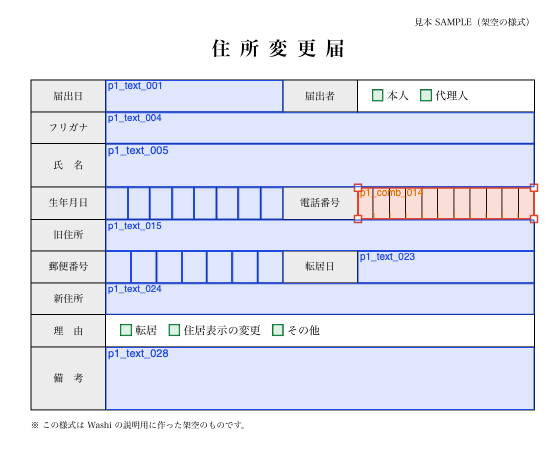
One toolkit, three ways in
For people, for scripts and for AI agents.
Every PDF operation is written once, as a tool. The desktop app, the command line, the built-in AI and the MCP server all call the same tools, so they behave the same everywhere.
Desktop editor
Check the detected fields, fill and sign forms, redact, edit text and organize pages. Built with Avalonia; the interface speaks seven languages.
Command line
Every tool is a command, ready for scripts and batches: make a form fillable, OCR a scan, fill a copy per row of a CSV.
washi form make form.pdfMCP server for AI agents
washi-mcp gives Claude Desktop, Claude Code and other MCP clients 47 PDF tools, only inside the folders you allow. In the app, every write waits for your approval.
Features
Everything you do with a PDF, in six groups.
The same six groups as the app's rail. Each tool saves a copy; the file you opened is never changed.
Fill & sign
- Make flat forms fillable: text, comb boxes, checkboxes
- Fill existing forms in place, even ones locked against changes that allow filling in
- Formats, ranges and totals worked out as you type
- Form data in and out: FDF, XFDF, CSV, JSON; a copy per row
- Ink signatures, and digital signatures (PAdES, long-term validation, certification)
Edit
- Edit printed text: a line, a paragraph, or find and replace
- Replace, add and remove images
- Links: add, change, or link every address in the text
- Headers, footers, page and Bates numbers, watermarks
- Erase what is already printed on a page, for real
Pages
- Reorder, rotate, delete and insert pages
- Combine PDFs and photos into one file, form fields kept
- Split by page ranges
- Crop, and save pages as images
Review
- Comments and replies, and editing existing ones
- Compare two versions: words, pages and pictures that changed
- Find in the document, bookmarks
Protect
- Passwords and permissions (AES-256)
- Encrypt for certificates: opens only with the recipients' digital IDs
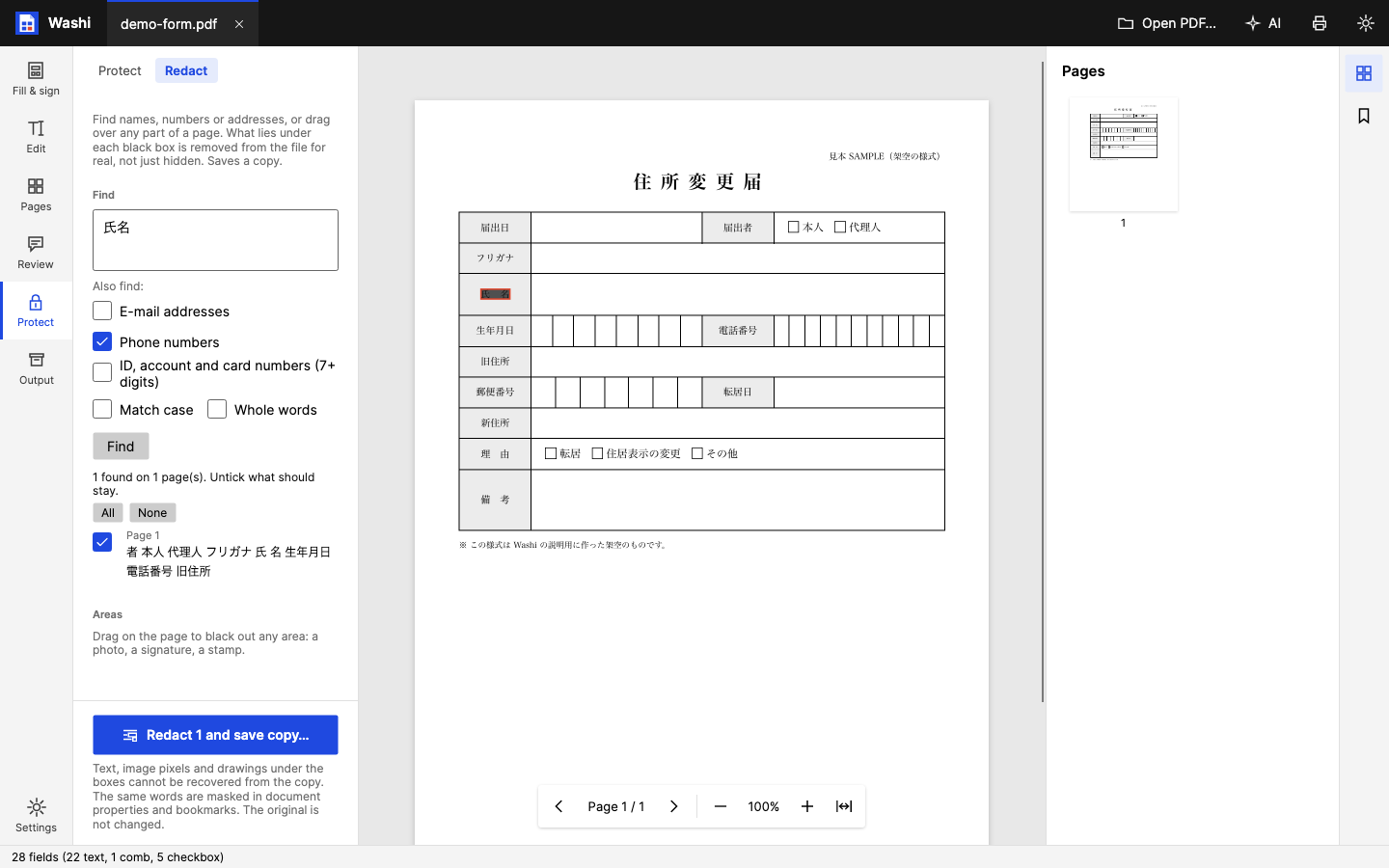
- Redact by word, pattern (e-mail, phone, ID numbers) or area
- Remove hidden information: metadata, scripts, earlier versions
Output
- Compress
- OCR: Apple Vision, Tesseract or an AI model
- Flatten fields and comments; check and convert to PDF/A-2b
- Page labels, attachments and layers
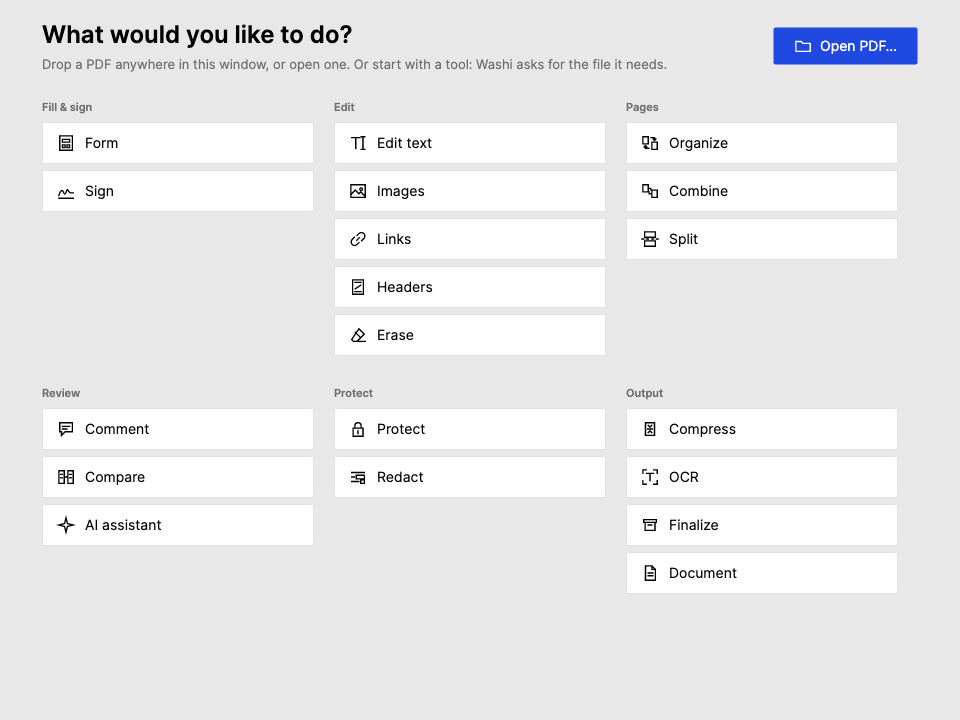
Built-in AI
AI that works on your PDFs, and asks first.
Bring your own model: Claude, GPT, DeepSeek, or a local model that never leaves your machine.
- Claude
- GPT
- DeepSeek
- Local (Ollama and other OpenAI-compatible servers)
- Names fields from the page image
p1_text_001becomes世帯主の氏名, even when the PDF's own text is garbled. - Fills a form from your profileIt fills only what your profile answers, and notes the rest. Long numbers are masked before anything is sent.
- Answers questions about a documentReadable text goes as text; scans go as page images.
- An assistant with the same tools as the MCP serverAsk it to make a form fillable, fill it, merge or split files. Text inside a PDF cannot steer it, and every write shows a card to allow or deny.
# standalone: stdio, only inside the folder you allow
$ claude mcp add washi -- washi-mcp --allow ~/Documents/forms

# or the desktop app's server (Settings → AI & MCP shows the exact command)
$ claude mcp add --transport http washi http://127.0.0.1:PORT/mcp \
    --header "Authorization: Bearer TOKEN"
Privacy by design
Your forms hold your life. Washi treats them that way.
Consent first
Before anything goes to a cloud model, Washi says what will be sent and waits for your yes.
Long numbers never leave
マイナンバー, account, card and phone numbers become placeholders. The model only learns “a 12-digit number”; the digits are put back on your machine.
Local models stay local
With a model on your own machine nothing leaves it, and nothing is asked.
Copies, in folders you choose
Tools write new files. AI agents work only inside folders you allow, and the in-app MCP server is off by default and listens on this computer only.
Redaction that really removes
Text, image pixels and drawings under a black box are taken out of the file, not just covered, and the copy is checked afterwards.
Keys in the Keychain
API keys come from the macOS Keychain or the environment, never from a settings file.
Command line
Scriptable from the first command.
# detect the fields on a flat form and write them
$ washi form make form.pdf -o form_fillable.pdf

# let the AI name the fields, then fill from a profile
$ washi ai name-fields form.pdf -o form_fields.json
$ washi form make form.pdf --fields form_fields.json
$ washi ai fill form_fillable.pdf --profile me.txt

# one filled copy per row of a table
$ washi pdf data form.pdf --rows staff.csv --name-column 社員番号

# make a scan searchable, then redact a name and phone numbers
$ washi ocr scan.pdf --lang ja,en
$ washi pdf redact scan_ocr.pdf --find "山田太郎" --pattern phone
Get Washi
Free and open source.
Washi is pre-alpha: expect rough edges. The apps check for new versions themselves and install them when you restart.
macOS
Apple silicon (M1 or later), macOS 12 or later. Signed and notarized by Apple. Unzip it and drag Washi to Applications.
Download .zipWindows
Windows 10 or 11, x64. Not code-signed yet: on the first run SmartScreen asks, choose More info → Run anyway.
Download installerOr build it from source
- Install the .NET 10 SDK.
- Clone the repository and run the desktop app, or the command line.
- On a Mac,
build/macos/bundle.shmakesWashi.app.
Licensed under the GNU AGPL v3.0 or later. Use it, change it, share it; if you run a changed version as a network service, publish its source too.
The app speaks
$ git clone https://github.com/dollarkillerx/Washi.git
$ cd Washi
$ dotnet run --project src/Washi.App
$ dotnet run --project src/Washi.Cli -- --version